How I used dynamic routing to reach the GRE endpoints, then configured and tested the tunnel.
Network Labs ·
I wanted to connect two sites whose underlying networks used different routing protocols. I built reachability between the sites with OSPF, EIGRP, and redistribution, then used that foundation to build the GRE tunnel and work through the IPsec setup.
Lab topology
GRE can carry unicast and multicast packets through a tunnel. IPsec can protect the GRE traffic in transit, and IKE negotiates security associations between peers.
Lab components
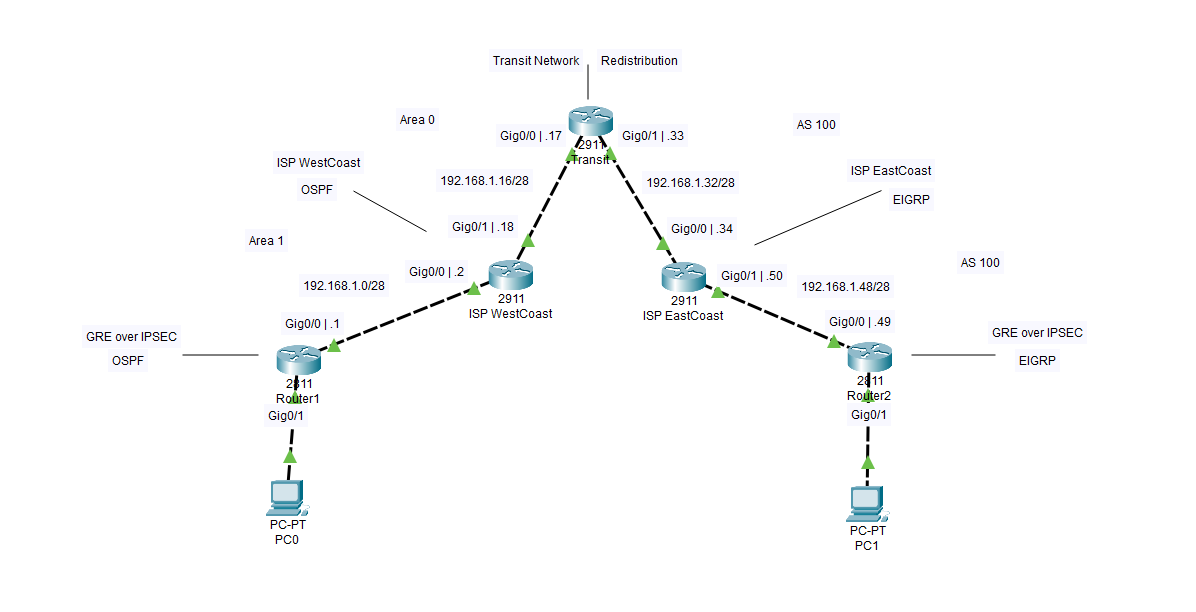
I used OSPF, EIGRP, route redistribution, GRE, and IPsec. The addressing plan uses 192.168.1.0/28, 192.168.1.16/28, 192.168.1.32/28, and 192.168.1.48/28.
Lab objectives
Establish dynamic reachability between the subnets through the transit router, then configure GRE and work through the IPsec setup.
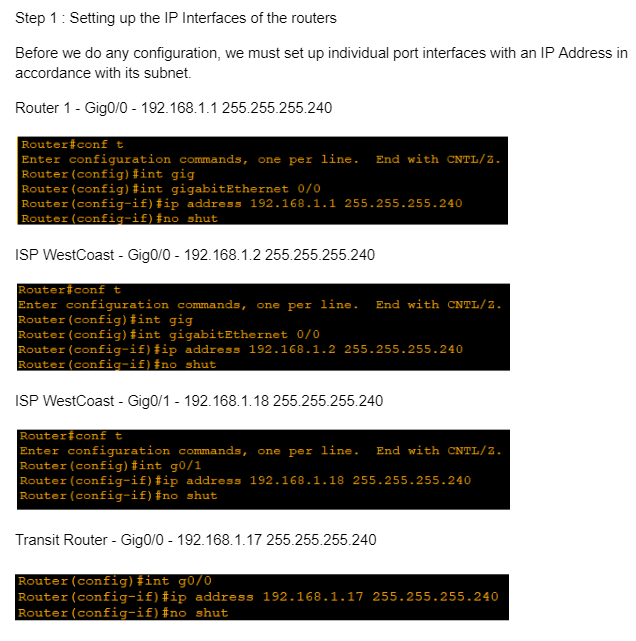
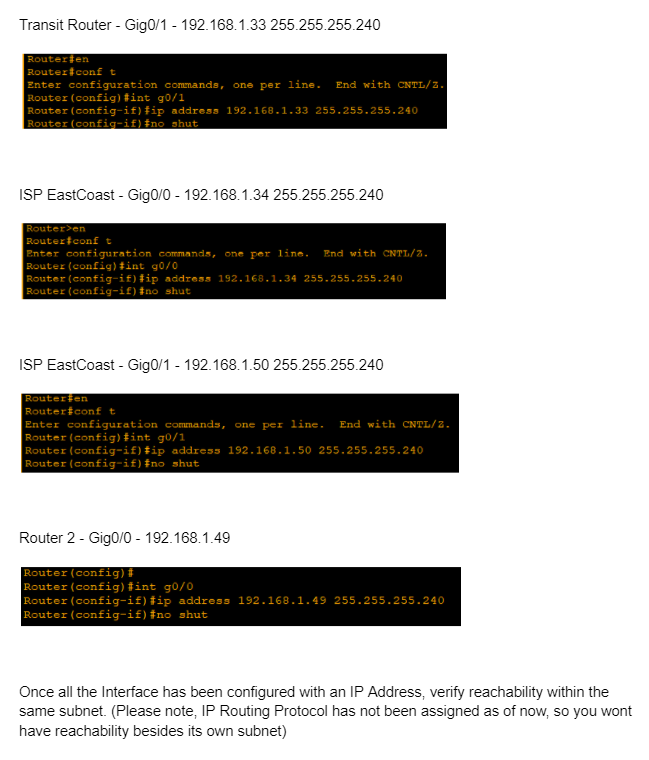
1. Configure router interfaces
Assign the interface addresses from the topology and bring up the links.
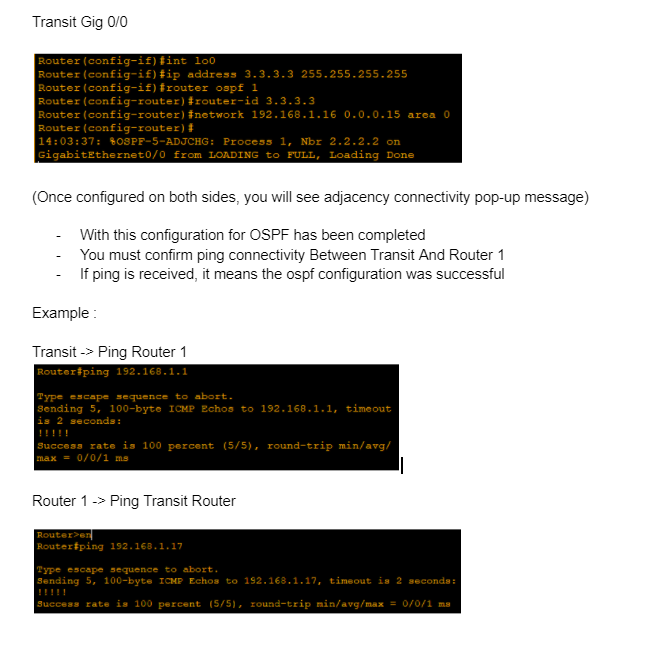
2. Configure OSPF
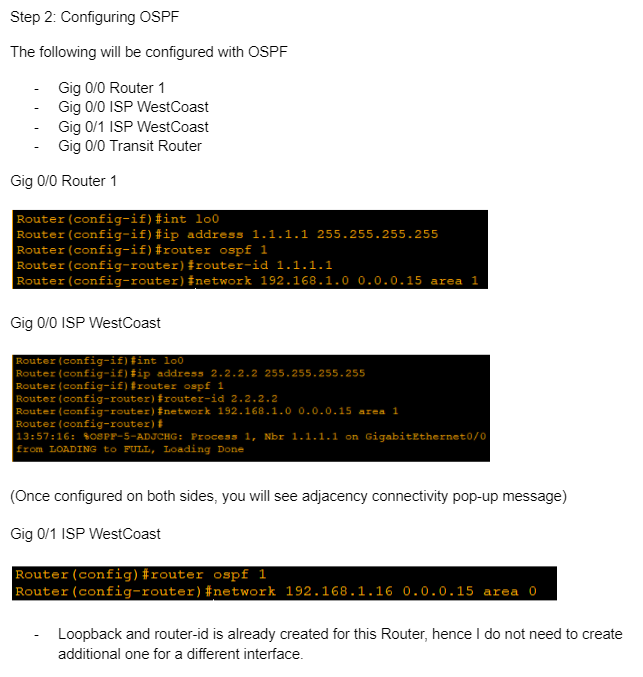
Configure the OSPF side of the topology using the networks and area in the lab.
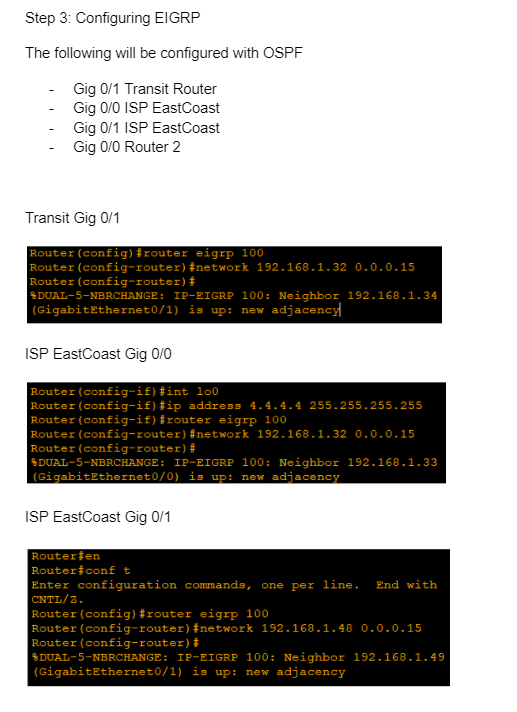
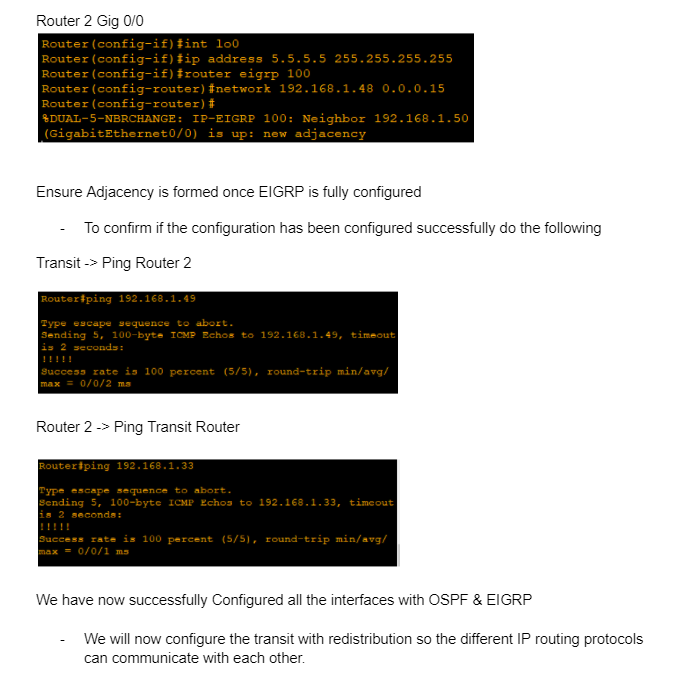
3. Configure EIGRP
Configure EIGRP on the other side of the transit router.
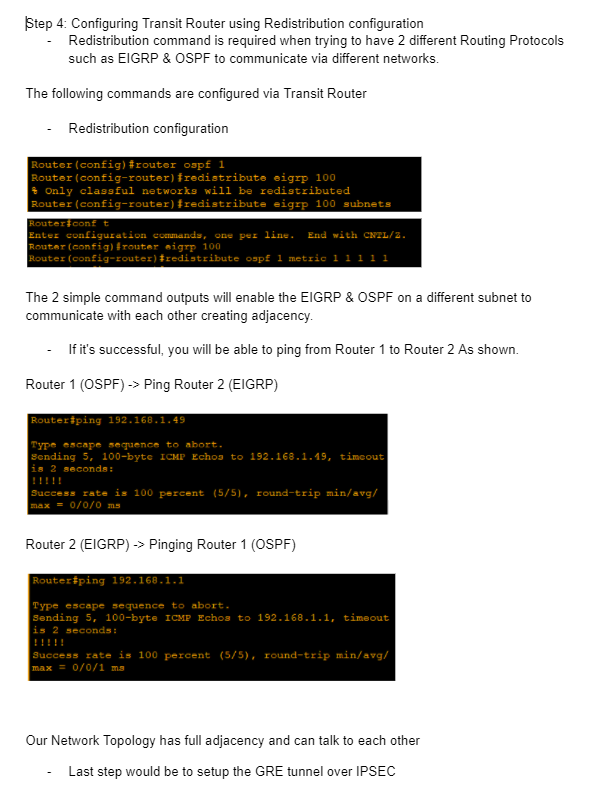
4. Redistribute routes on the transit router
Redistribute routes at the boundary and confirm that the GRE endpoints are reachable before configuring the tunnel.
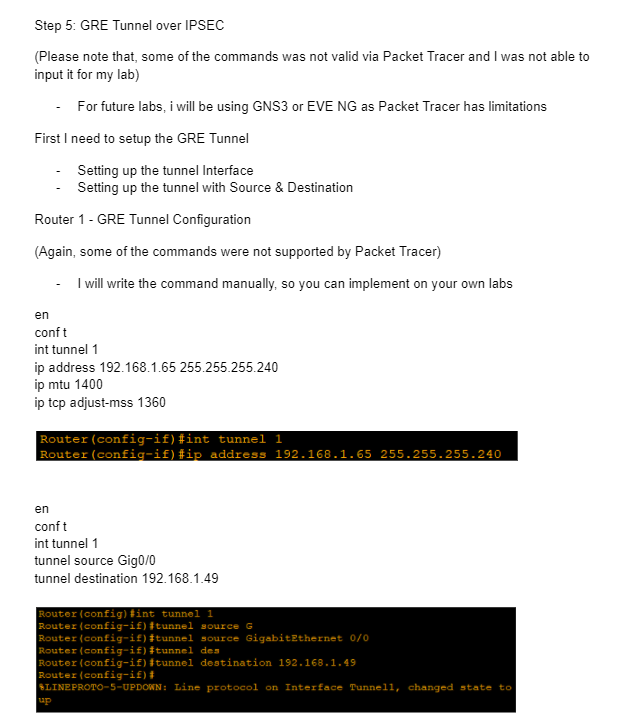
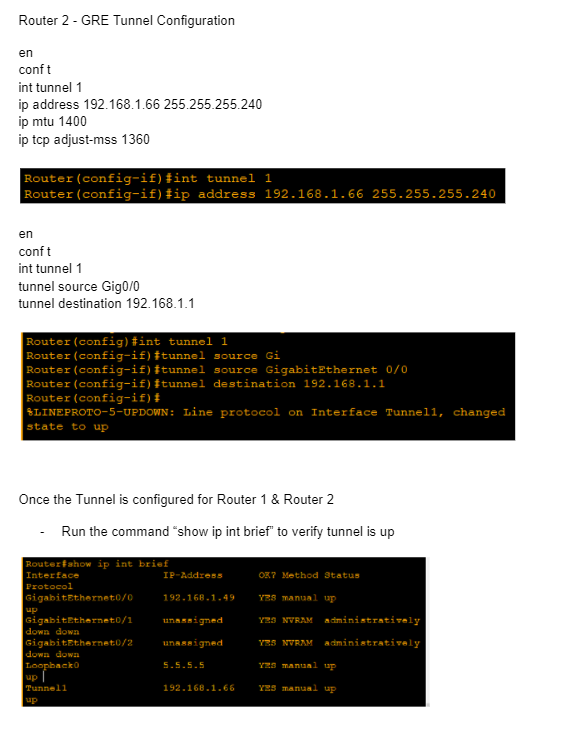
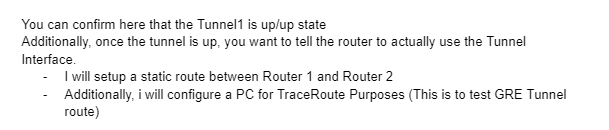
5. Build and check the GRE tunnel
Use the topology to match each tunnel source with the other router’s tunnel destination. Verify the tunnel before routing client traffic through it.
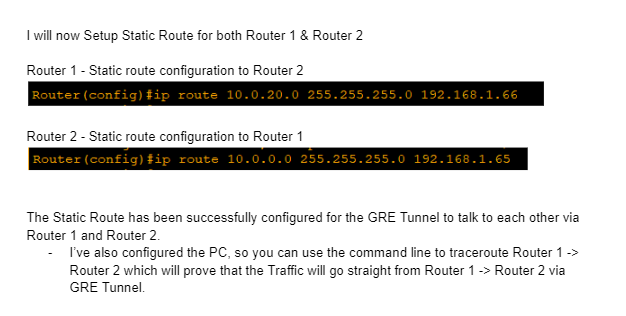
6. Route traffic through the tunnel
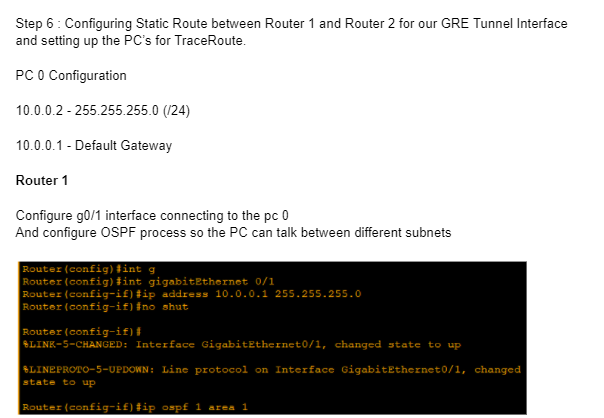
Add the lab routes for traffic that should cross the tunnel and check the resulting path.
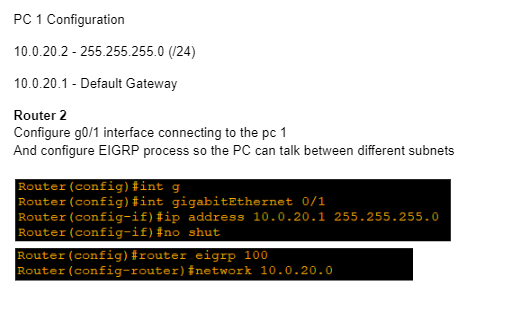
7. Apply IPsec settings
Use the original lab screenshots to follow the IPsec peer and policy settings used in the simulation.
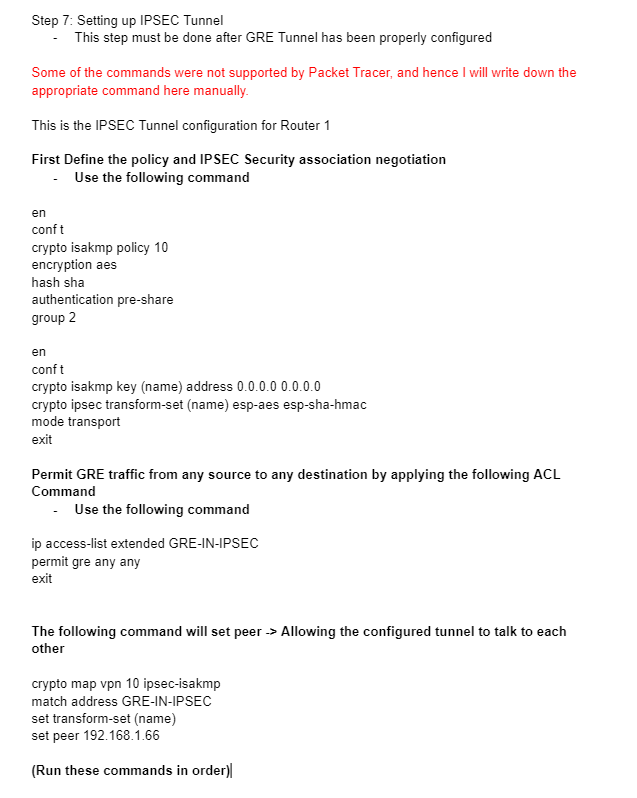
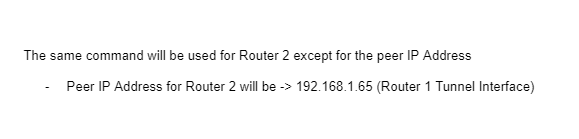
8. Verify GRE and IPsec
Check that traffic takes the GRE path. Verify IPsec separately by checking its security associations where Packet Tracer supports the commands.

What I took away
I checked reachability between the tunnel endpoints before testing traffic across GRE. A working GRE path and an active IPsec association are separate checks. Packet Tracer limited some of the IPsec commands I could use, so the post documents those limits alongside the lab results.
The following Lab is a demonstration on how to set up the GRE Tunnel over IPSEC.
GRE (Generic Routing Encapsulation) – Cisco developed tunneling protocol
GRE is great in a sense that it allows end users to share data that would not normally be shared over the public network. It supports both encapsulations such as Unicast and multicast packets but its inability to encrypt Payloads makes it very insecure and not recommended as a standalone tunnel.
GRE tunnel which is efficient in every sense but lacks security and IPSEC will provide the security end.
IPSEC (Internet Protocol Security) – Used to set up VPNs, encrypting IP packets with source authentication
Once the GRE Tunnel is set up, you can configure an IPSEC Tunnel between the IPSEC peers among each router which will establish protection for any trafficking IP Packets. The protocol that is used here is called IKE (Internet Key Exchange) which establishes the tunnel.
Having the GRE Tunnel over IPSEC is basically having the best of the both worlds.
I will now show you a Lab Demonstration, on how you can setup a GRE Tunnel over IPSEC
Following is my lab topology, which you can use as a reference

The following was used to create this Lab
OSPF
EIGRP
REDISTRIBUTION
GRE TUNNEL
IPSEC
The following subnet has been used to configure this network
192.168.1.0/28
192.168.1.16/28
192.168.1.32/28
192.168.1.48/28
The goal of this Topology
- Achieve dynamic reachability between all the different subnets on the following network using OSPF and EIGRP through the transit router.
- Setup GRE Tunnel over IPSEC


